
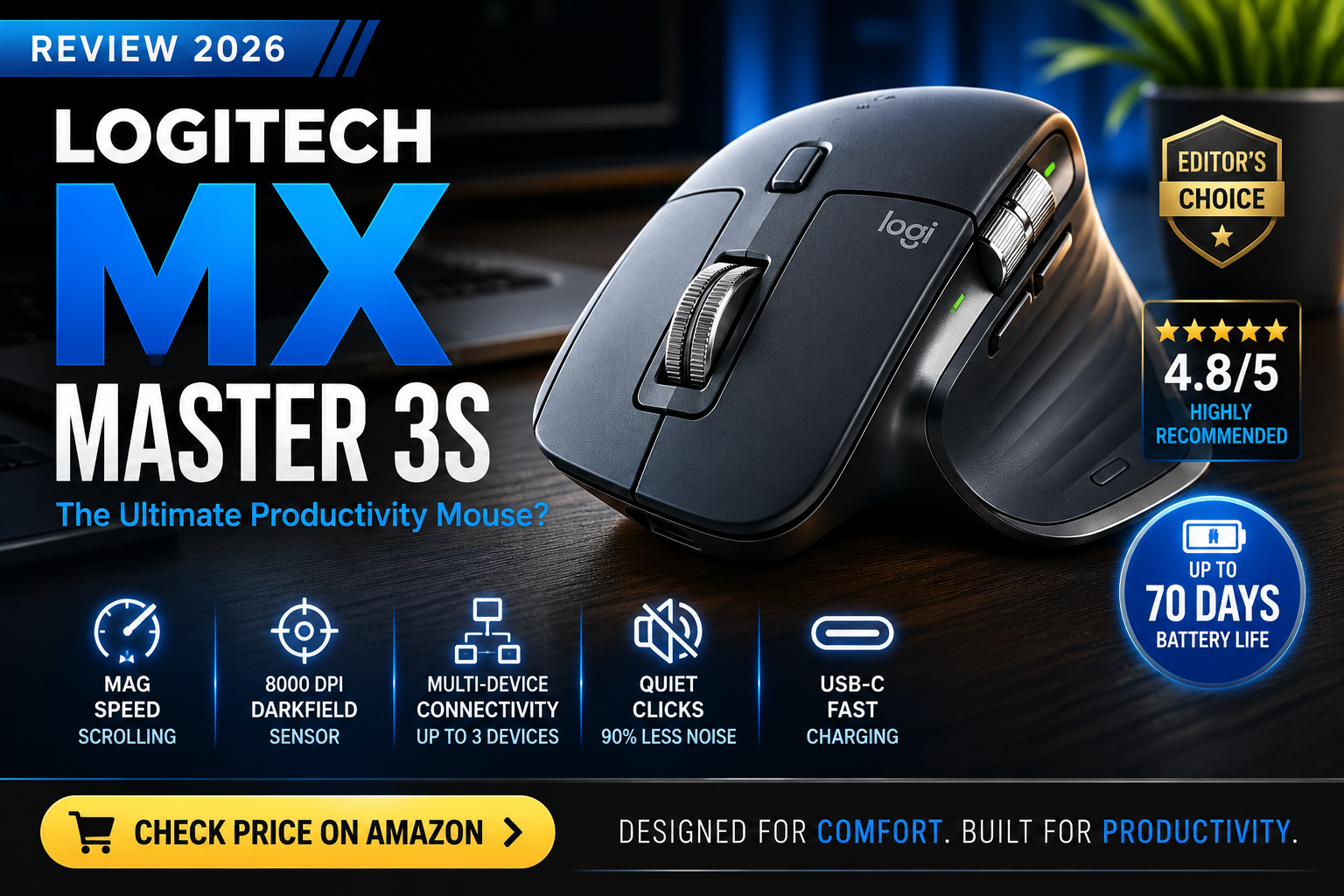
The Logitech MX Master 3S is one of the best wireless productivity mice available in 2026. Its ergonomic design, quiet clicks, MagSpeed scrolling, and excellent battery life make it an outstanding choice for professionals, programmers, designers, and anyone who spends long hours at a computer. While it costs more than many competitors, its comfort and productivity features justify the premium price.
• Office professionals • Programmers • Graphic designers • Video editors • Remote workers • Multi-device users
• You have a very limited budget • You prefer lightweight travel mice • You mainly play competitive FPS games • You want RGB gaming features
Strengths
What we like
- Excellent ergonomic design
- Very quiet clicks
- Outstanding battery life
- MagSpeed scroll wheel
- Multi-device support
- USB-C rechargeable
- Precise 8000 DPI sensor
- Premium build quality
- Accurate sensor
- Highly customizable software
Limitations
What to consider
- Higher price than many competitors
- Larger size may not suit smaller hands
- Slightly heavier than travel-focused mice
- Not intended for competitive gaming
At a glance
Key features
- MagSpeed Electromagnetic Scroll Wheel 8000 DPI Darkfield Sensor Bluetooth & Logi Bolt Connectivity USB-C Fast Charging Easy-Switch Multi-Device Pairing Quiet Click Technology Customizable Buttons Logi Options+ Software
Technical details
Specifications
Introduction
If you spend several hours a day working on a computer, your mouse is one of the most important tools on your desk. Whether you’re editing documents, designing graphics, writing code, managing spreadsheets, or simply browsing the web, a comfortable and reliable mouse can significantly improve your daily workflow.
Among productivity-focused wireless mice, the Logitech MX Master 3S has built an excellent reputation thanks to its ergonomic design, quiet clicks, advanced scrolling technology, and support for multiple devices.
But with many newer options available in 2026, is it still worth buying?
In this review, we’ll take a detailed look at the MX Master 3S, including its design, comfort, features, software, performance, battery life, strengths, weaknesses, and who should consider purchasing it.
Not sure which wireless mouse is right for you? Read our Best Wireless Mouse for Work & Productivity (2026) buying guide before deciding.
👉 Check Latest Price on Amazon
Quick Verdict
The Logitech MX Master 3S remains one of the strongest productivity mice available in 2026. It combines premium build quality with outstanding comfort, quiet operation, excellent tracking, and powerful customization options.
For professionals who spend long hours working at a computer, it continues to be one of the easiest mice to recommend.
Design & Build Quality
The first thing you’ll notice is the premium construction.
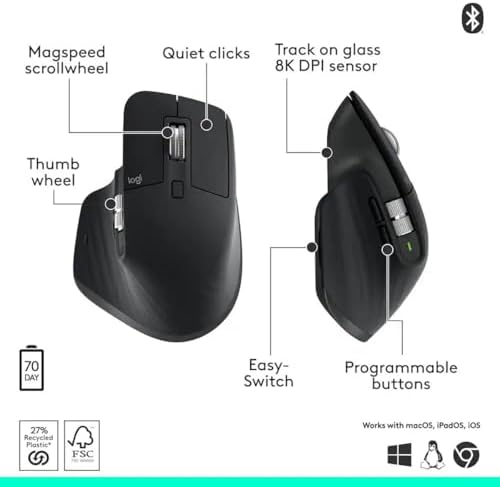
The MX Master 3S features a sculpted ergonomic design that naturally supports your palm, fingers, and thumb. Instead of forcing your hand into a flat position, it encourages a relaxed grip that helps reduce fatigue during extended work sessions.
The soft-touch finish gives the mouse a premium feel without being slippery, while the build quality is excellent with no noticeable flex or creaking.
Although it is larger and heavier than compact travel mice, the additional weight contributes to a more stable and controlled experience during everyday work.
For users with medium to large hands, the MX Master 3S feels exceptionally comfortable.

Comfort & Ergonomics
Comfort is where the MX Master 3S truly stands out.
Unlike many traditional mice, the thumb rests naturally on a dedicated thumb support that includes gesture controls and shortcut functionality.
The overall shape minimizes unnecessary wrist movement, making it especially suitable for users who spend long hours:
- Programming
- Writing
- Spreadsheet work
- Video editing
- Graphic design
- Office productivity
During long sessions, the ergonomic design helps reduce hand fatigue compared to many smaller wireless mice.

Performance
The MX Master 3S uses Logitech’s Darkfield sensor, allowing it to track accurately on a wide range of surfaces—including glass under certain conditions.
Cursor movement feels smooth and precise, making everyday tasks effortless.
The adjustable sensitivity allows users to customize pointer speed for different workflows, whether they need fast navigation across multiple monitors or slower, precise movements for detailed editing.
Although it isn’t designed as a competitive gaming mouse, its tracking performance is excellent for productivity applications.
MagSpeed Scroll Wheel
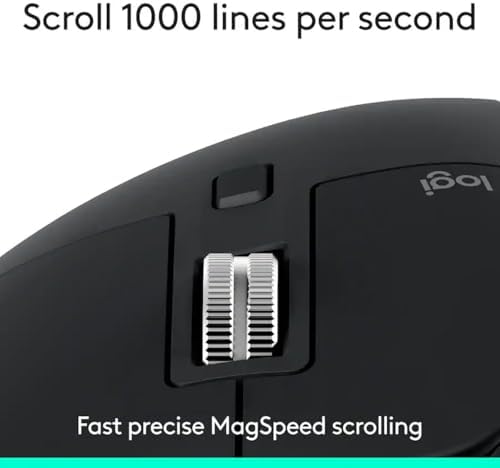
One of the standout features is the MagSpeed electromagnetic scroll wheel.
Unlike traditional mechanical wheels, it automatically switches between:
- Precision scrolling
- High-speed scrolling
This makes navigating long documents, spreadsheets, PDFs, and web pages incredibly fast while still allowing precise line-by-line control when needed.
Once you become accustomed to this feature, it’s difficult to return to a standard scroll wheel.
Quiet Click Technology
Compared with previous MX Master models, the MX Master 3S introduces significantly quieter clicks.
The buttons maintain satisfying tactile feedback while producing much less noise, making the mouse suitable for:
- Shared offices
- Libraries
- Video meetings
- Home offices
This improvement is especially noticeable for users who click thousands of times throughout the day.

Multi-Device Support
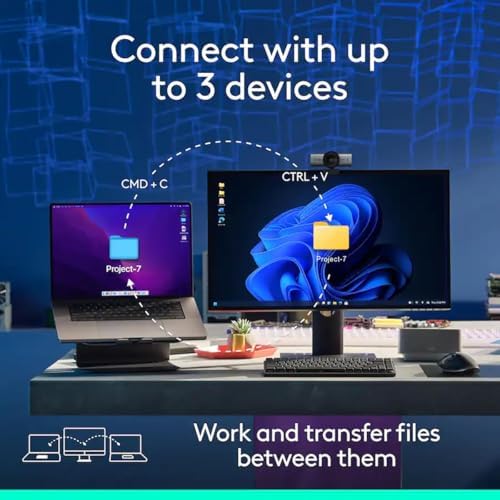
One of the biggest advantages of the MX Master 3S is its ability to connect to multiple computers.
It supports:
- Bluetooth
- Logi Bolt receiver
Users can pair the mouse with up to three devices and switch between them using the Easy-Switch button.
This is particularly useful if you regularly work across:
- Desktop PC
- Laptop
- MacBook
without reconnecting the mouse each time.
👉View Latest Price on Amazon
Battery Life
Battery life remains excellent.
The rechargeable battery is designed to last for weeks under typical office use.
USB-C charging is another welcome improvement, allowing users to recharge using the same cable commonly used for modern laptops and accessories.
Quick charging also provides several hours of use after only a short charging session.
Logitech Options+
The Logitech Options+ software unlocks the mouse’s full potential.
Users can customize:
- Button assignments
- Gestures
- Scroll direction
- Pointer speed
- Application-specific shortcuts
For example:
Adobe Photoshop can have one set of shortcuts, while Microsoft Excel or Visual Studio can use completely different button configurations.
This flexibility greatly improves productivity.

Real-World Experience
In everyday office work, the MX Master 3S performs exceptionally well.
Whether editing documents, browsing dozens of browser tabs, managing spreadsheets, or switching between multiple monitors, the mouse consistently feels smooth and responsive.
The combination of ergonomic comfort, customizable controls, and quiet operation makes daily work noticeably more enjoyable.
Who Should Buy the Logitech MX Master 3S?
The MX Master 3S is an excellent choice for:
- Office professionals
- Software developers
- Graphic designers
- Video editors
- Engineers
- Content creators
- Students with long study sessions
- Remote workers
- Anyone using multiple computers
Who Should Skip It?
This mouse may not be the best option if:
- You need an ultra-light gaming mouse.
- You travel frequently and prefer a compact design.
- You’re shopping on a very limited budget.
- You only use a computer occasionally and don’t need advanced productivity features.
Alternatives
If the MX Master 3S doesn’t fit your needs, consider these alternatives:
Logitech M720 Triathlon
A more affordable productivity mouse with multi-device support and long battery life.
Logitech Pebble 2
A compact, lightweight option for travel and everyday portability.
Logitech Lift
Designed for users who prefer a vertical ergonomic mouse to reduce wrist strain.
Final Verdict
The Logitech MX Master 3S continues to justify its reputation as one of the best productivity mice available in 2026.
Its outstanding ergonomics, premium build quality, accurate sensor, quiet operation, and advanced customization features make it a worthwhile investment for professionals who spend long hours at a computer.
While the price is higher than many standard wireless mice, the comfort and productivity benefits can easily outweigh the additional cost for frequent users.
If you’re looking for a reliable wireless mouse focused on productivity rather than gaming, the Logitech MX Master 3S remains one of the strongest recommendations available.
👉Buy Logitech MX Master 3S on Amazon
Related Guides
If you’re still comparing options, you may also like:
Affiliate Disclosure
As an Amazon Associate, TechTroveSell may earn from qualifying purchases made through links on this page. This comes at no additional cost to you and helps support our independent reviews and buying guides.
FAQ
Frequently asked questions
Is Logitech MX Master 3S good for programming?
Yes. Its ergonomic design and programmable buttons make it an excellent choice for developers who spend long hours coding.
Is MX Master 3S good for gaming?
It can handle casual gaming, but it is designed primarily for productivity rather than competitive gaming.
Does it support multiple computers?
Yes. It can pair with up to three devices and switch between them using the Easy-Switch button.
How long does the battery last?
A full charge can last for several weeks under typical office use, and a one-minute quick charge provides several hours of use.